
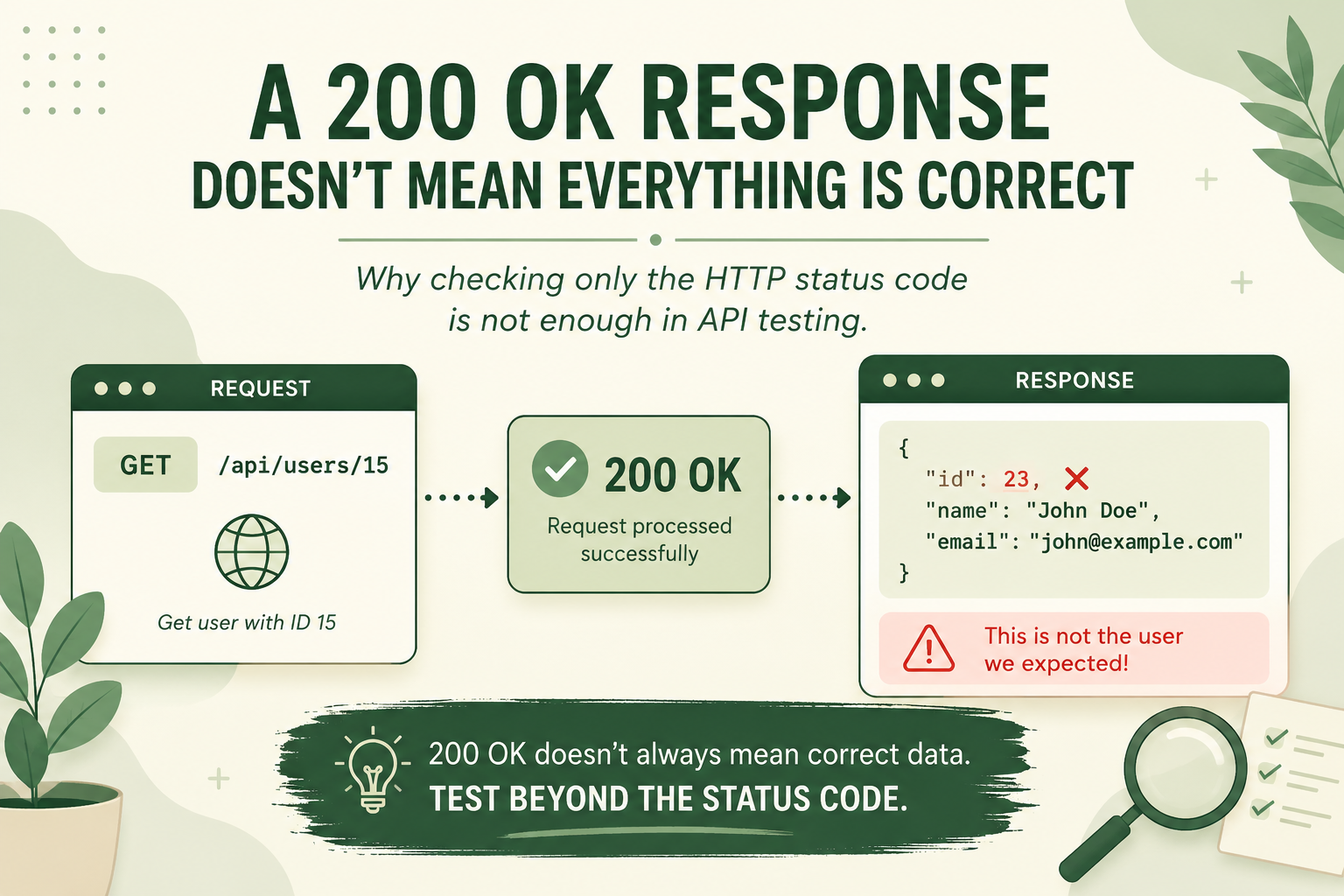
When testing an API, one of the first things we usually check is the HTTP status code.
For example, we send a GET request and the API returns:
200 OK
At first glance, everything seems fine. However, the test should not end there.
A 200 OK response only indicates that the HTTP request was processed successfully. It does not guarantee that the returned data is correct.
For example, imagine an API that returns user information:
GET /api/users/15
The API may return 200 OK. However, if the response contains information about the wrong user, there is still a problem. Technically, the API returned a successful HTTP response, but the application is not working as expected.
That is why checking only the status code is not enough when testing an API.
So, what else should we check?
1. Response Body
We should check whether the response data is actually what we expect.
For example, if we request the user with ID 15, does the response really contain id: 15?
2. Response Schema
Are all the expected fields included in the response?
For example:
{
"id": 15,
"name": "User",
"email": "user@example.com"
}
If we expect the id, name, and email fields, we should verify that all of them are actually present in the response.
3. Data Types
The data types of the fields are also important.
For example, the id value might be expected to be an integer, but the API could return it as a string:
{
"id": "15"
}
At first glance, this response may look correct. However, if the API contract specifies that id must be an integer, then this is still a problem.
4. Business Rules
One of the most important things to check is whether the API follows the expected business rules.
For example, if a product has 0 items in stock, the API should not indicate that the product is available for purchase.
The status code can still be 200 OK, but if a business rule is violated, the test should fail.
Conclusion
Instead of thinking:
“I received 200 OK, so the test passed.”
we should ask:
“Is the API working as expected?”
A good API test does not only verify the HTTP status code. It also checks things such as the response body, response schema, data types, and business rules.
This approach helps us write more reliable and meaningful automated tests, especially when working with API test automation.
Comments
Please log in to leave a comment.
No comments yet. Be the first to comment!